
Ten stamps.
Then something free.
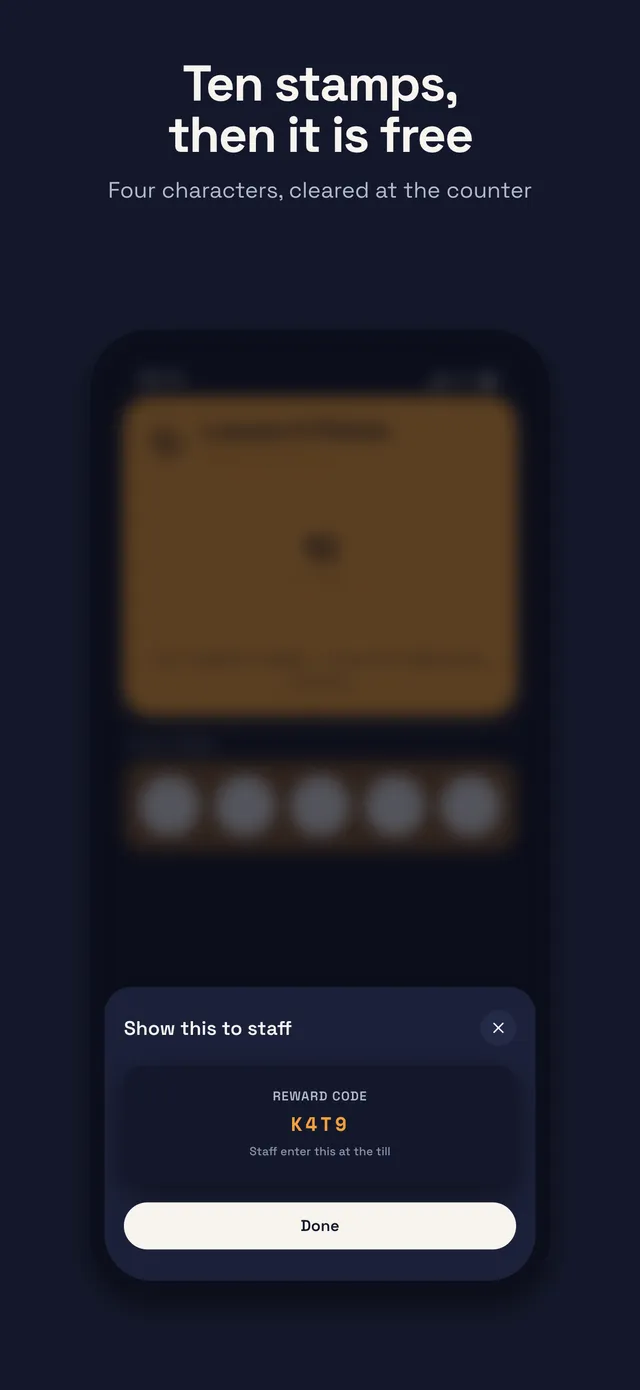
tenStampd turns the paper card that frays in a wallet into a stamp card in your customers’ phones. Staff scan, the stamp lands, and the reward clears with a four-character code.


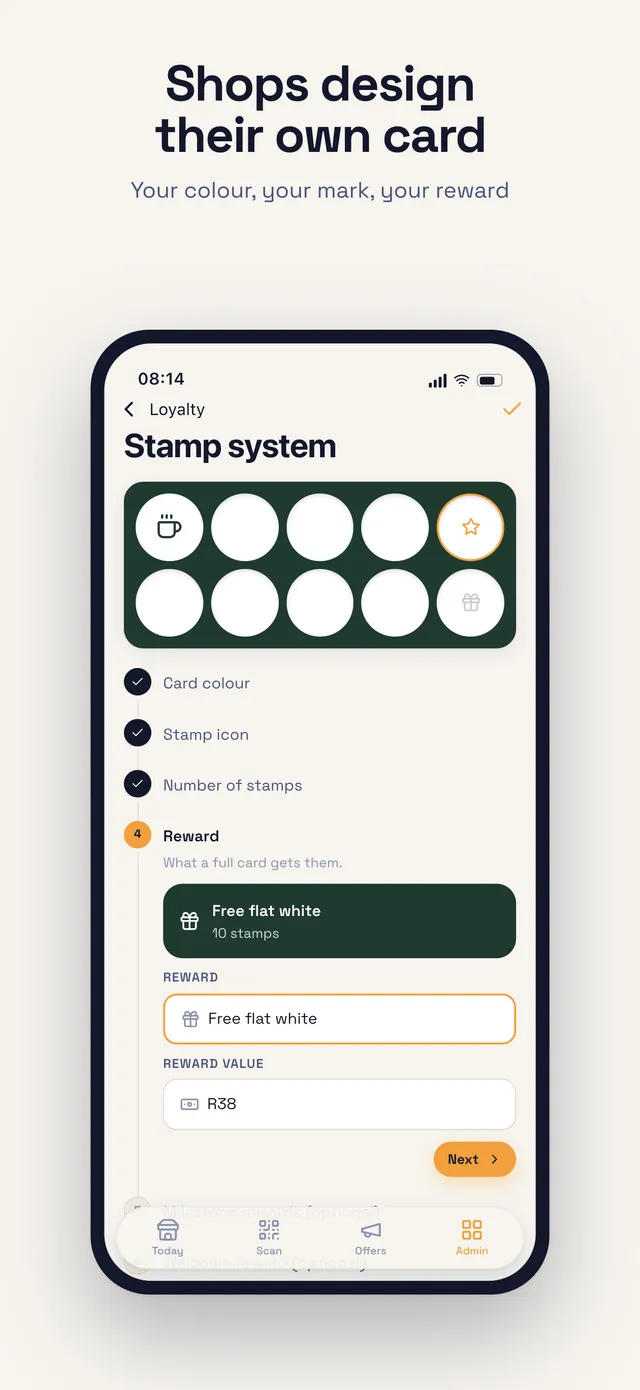
- 10stamps to a reward — or set your own count in the builder
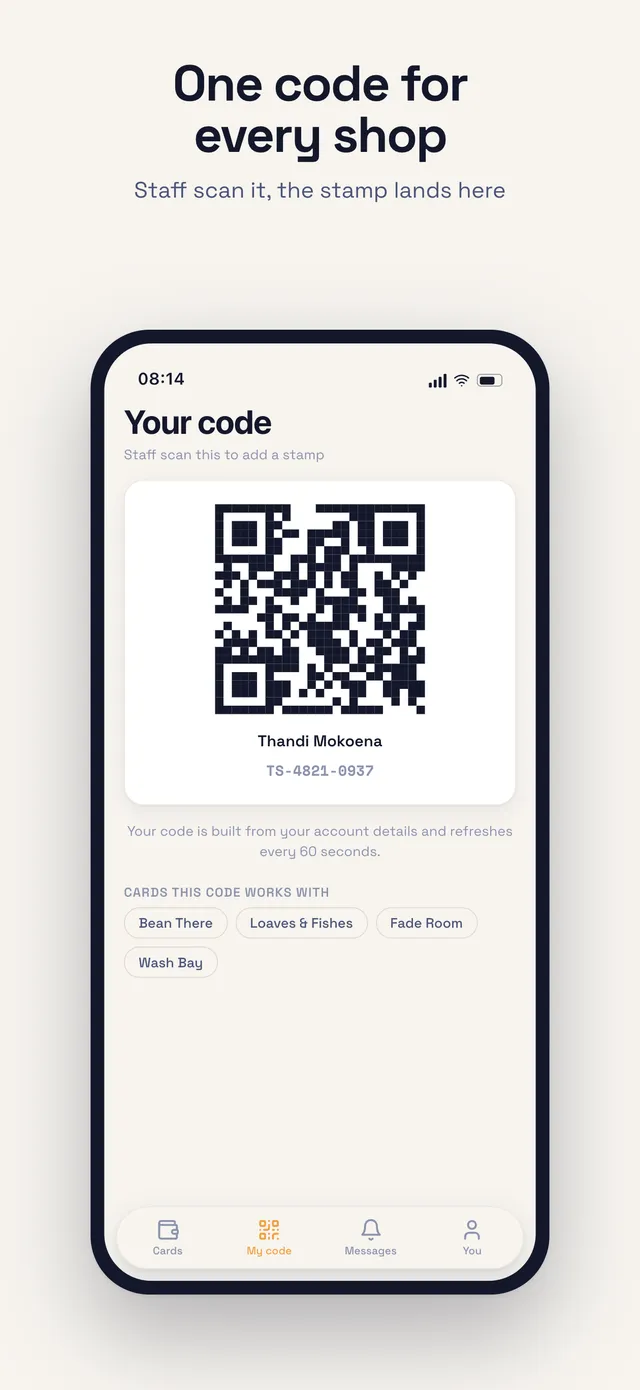
- 60sa member code rotates every minute, so a screenshot is worthless
- 4characters to clear a reward when a camera will not focus
- 1transaction writes the stamp and the event — the books cannot disagree
How it works
Three taps at the counter
No card printer, no key fobs, no loyalty hardware. Your phone or till tablet is the scanner.
 01
01The customer shows a code
Their member code sits on the second tab. New customer? They scan your counter poster and the card appears in their wallet — no form, no plastic.
 02
02Staff scan it
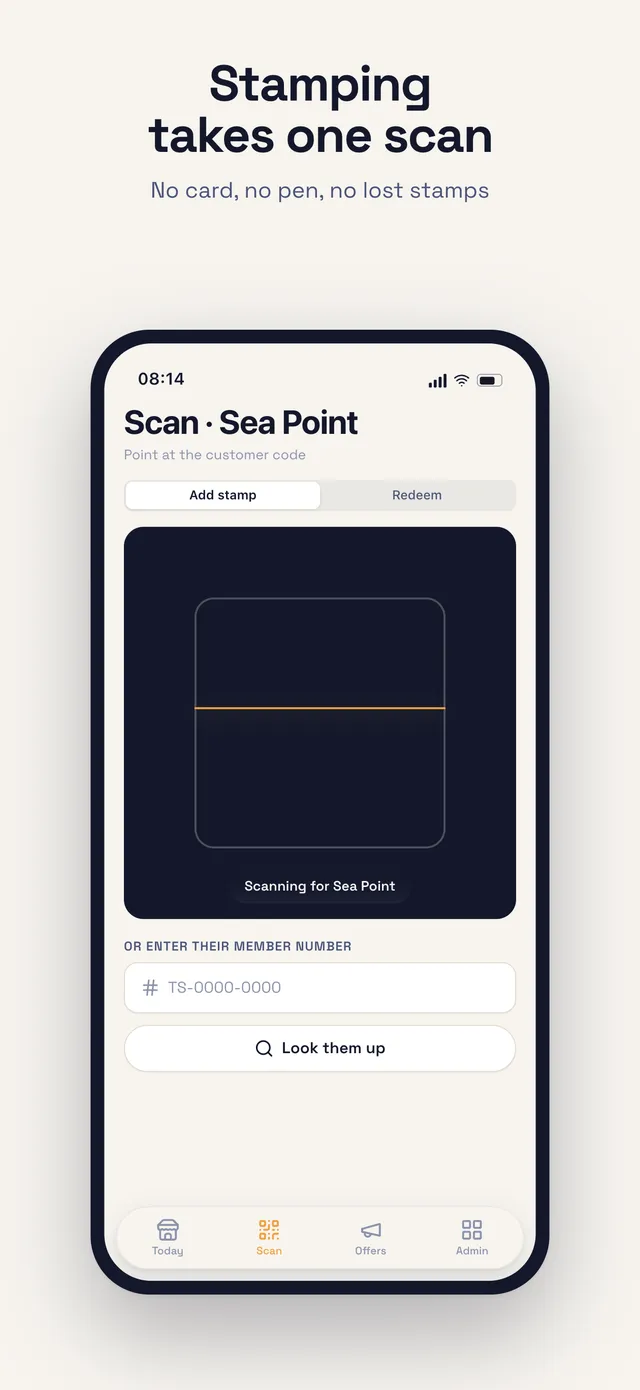
The counter app opens the camera, reads the code and lands the stamp. It shows on the customer’s phone without a refresh. Typing the member number works too.
 03
03The reward clears itself
A full card shows as owed the moment you scan. One button hands it over and clears it. The four-character code is the fallback, not the routine.
Two apps, one sign-in
The wallet and the counter
Your customers download the same app you do. The role screen decides which side of the counter they see, so there is nothing separate to install for staff.
Customer
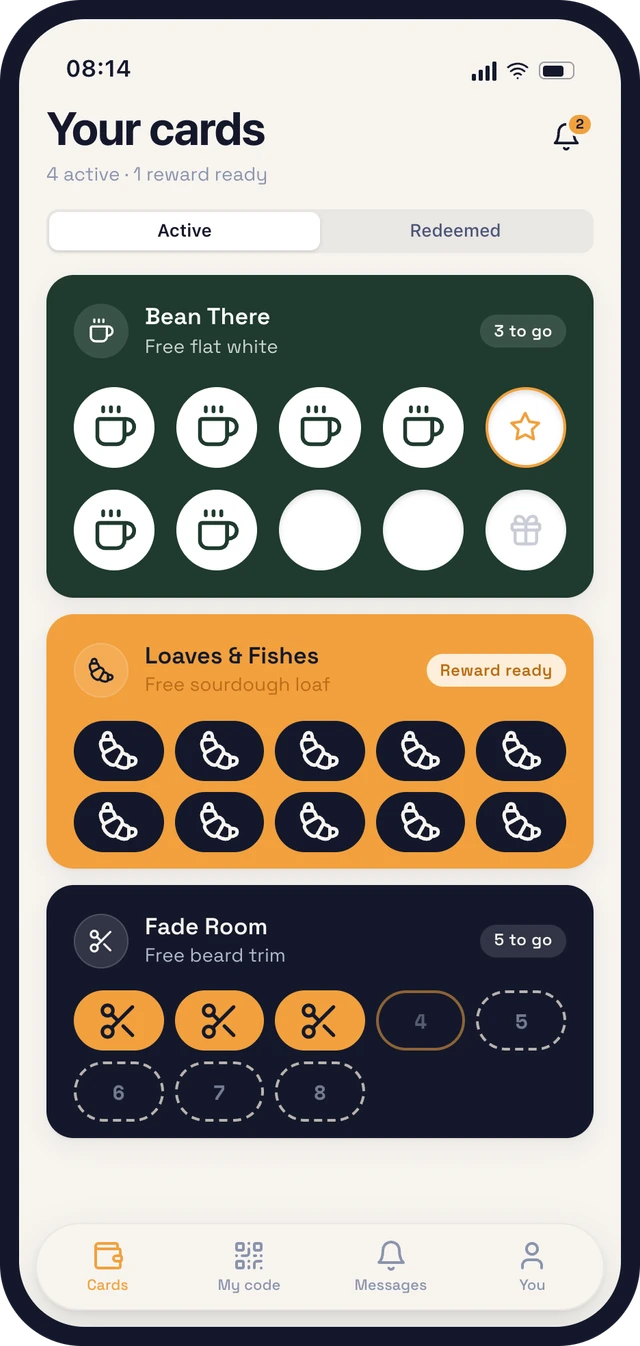
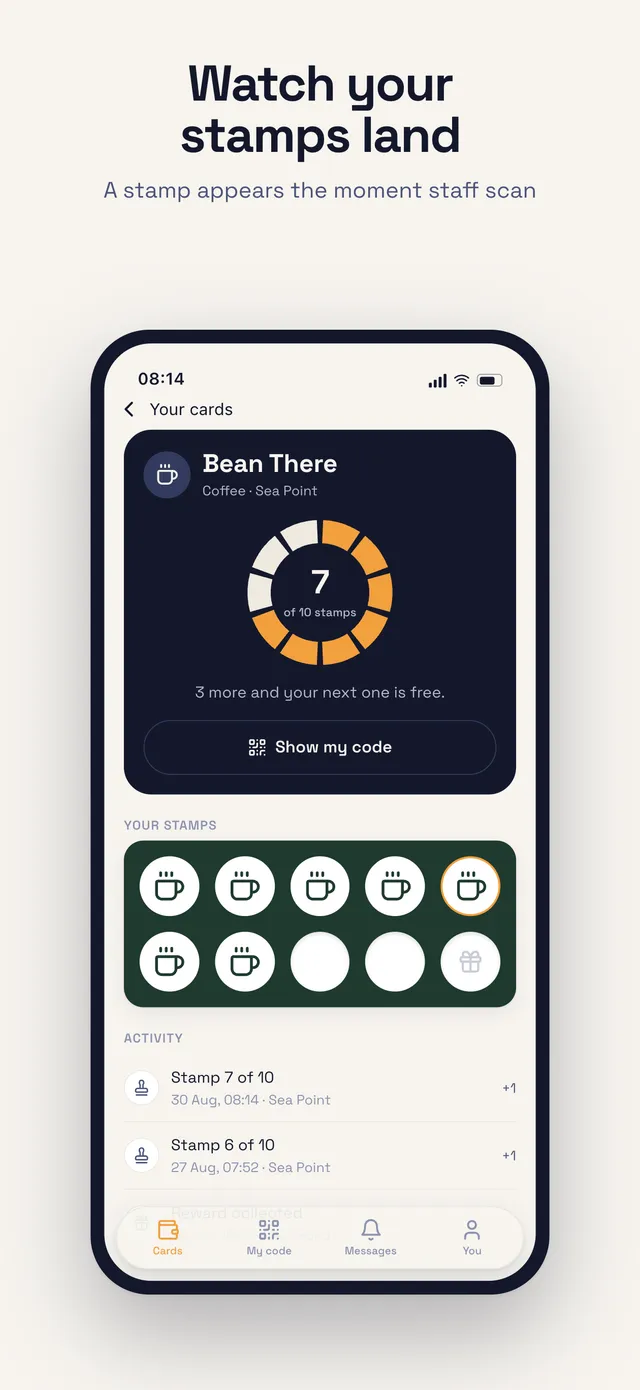
A wallet of cards, the stamp ring, a scannable member code, messages from shops, birthday rewards.
Counter
The day at a glance, camera scanning, offers to members, and a read-only roster for whoever is on shift.
Admin
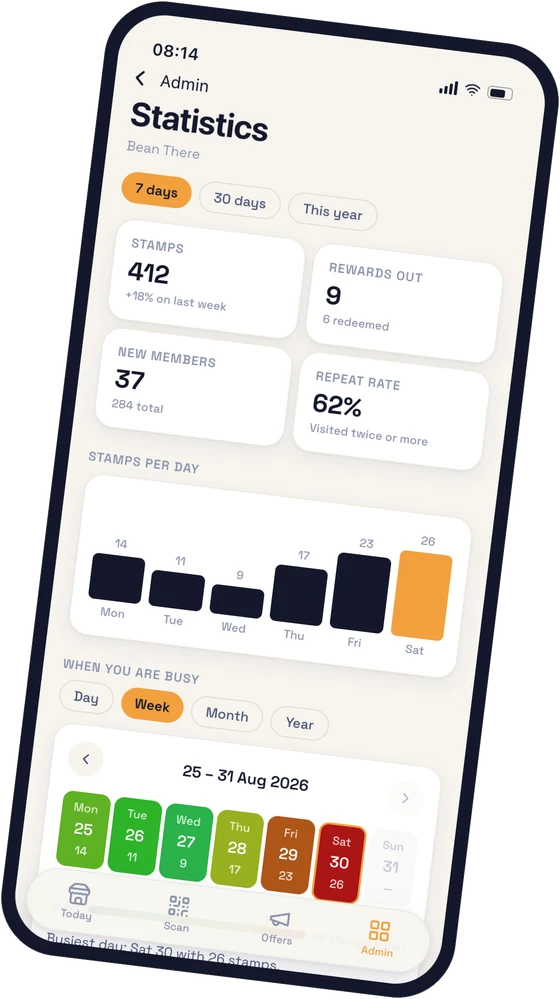
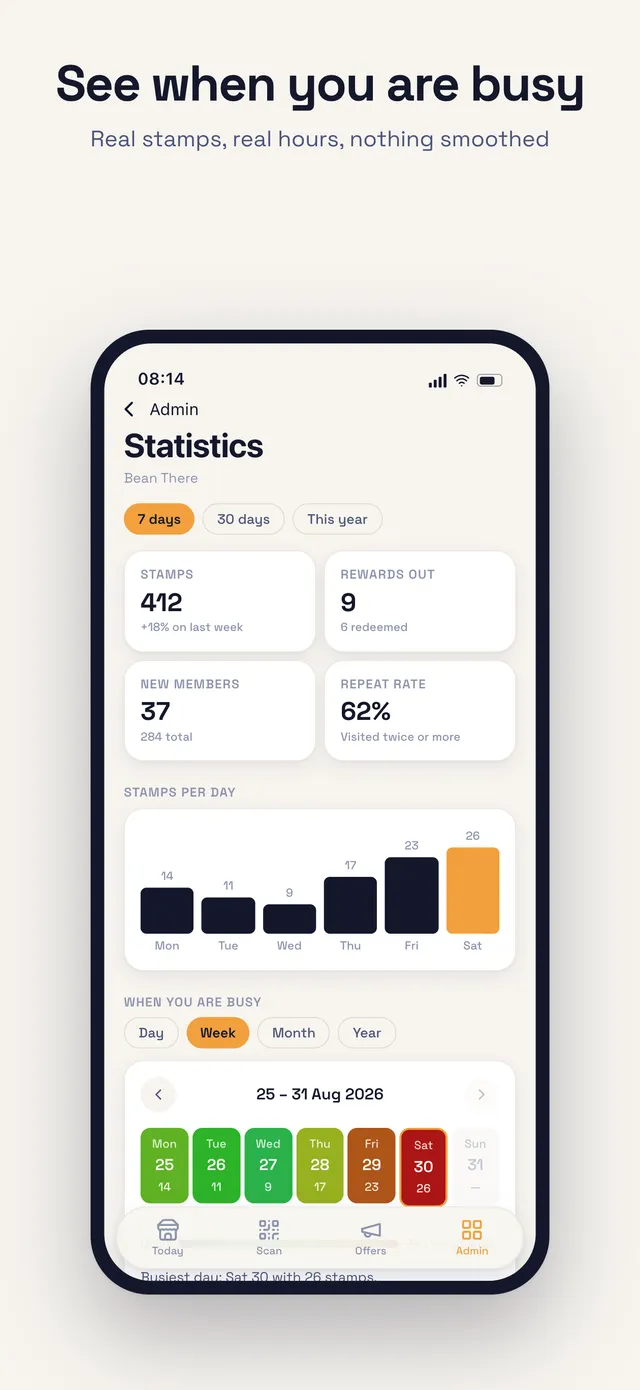
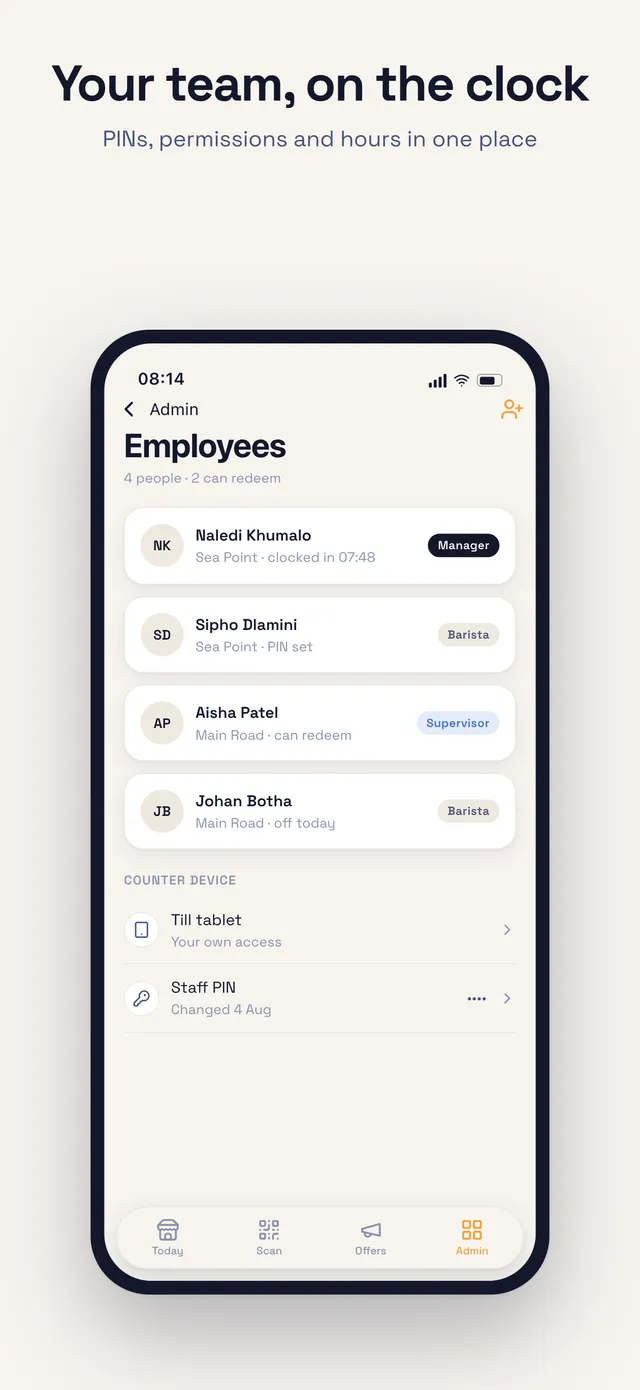
Statistics and the busy heatmap, feedback, trading hours, programme builders, employees, payroll, plans.
Features
Everything a neighbourhood shop actually needs
A wallet, not a keyring
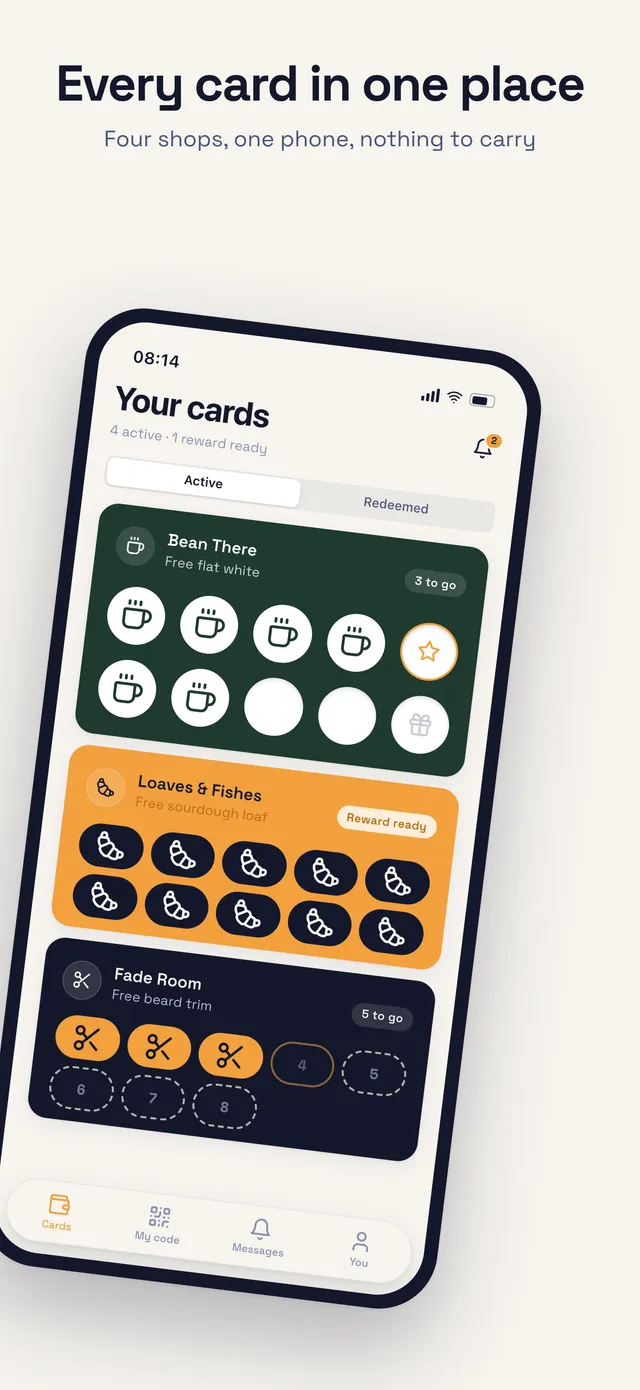
Every shop your customer collects at sits in one list, with progress on the face of each card. Nothing to carry, nothing to lose.
Codes that expire
A member code rotates every minute, so a screenshot passed around a table is worthless by the time it arrives.
Statistics you can trust
Day, week, month and year, each drilling into the next. Nothing is modelled or smoothed — a quiet Tuesday reads as a quiet Tuesday.
Offers to your members
Draft a promo and send it to everyone holding your card, or only to this month’s birthdays. They arrive as notifications, not email.
Staff, shifts and pay
Employees with counter PINs and permissions on every plan. Add a roster, clocked shifts and the wages they add up to on Premium, optionally fenced to the branch.
Print for the counter
An A5 poster with your logo, your join QR and the code in words. Save it, AirDrop it or send it straight to the printer.
Screenshots
See it before you commit
The customer wallet, the counter scanner and the admin side — the actual screens, straight off the phone.
Trust
Built for POPIA, not for ad networks
We do not sell personal information, share it with data brokers, or track anyone across other apps. Access is enforced at the database, not only in the app.
Rules on our servers decide what each account may read and write — a customer cannot reach another customer’s card, and an employee cannot reach anything their employer has not given them.
Stamp events are append-only. Nobody, including a shop, can edit or delete what happened at a counter.
Location is only ever asked of employees, only while the app is in use, and the coordinate is never stored — the device reports whether it was close enough, nothing more.
Payments go through Apple and Google. We are told which plan is active and when it renews, and never see a card number.
Questions
Before you start
Do my customers have to pay?
No. Customers are never charged and are never asked for payment details. The shop pays for the programme.
What if a customer does not have the app?
They scan the counter poster and the join link opens in their browser — the card is issued on the server, so they can start collecting before they install anything.
Can I use my own reward, not ten stamps?
Yes. The builder sets the reward wording and the number of stamps, or you can run a points programme instead. If you shorten a card later, existing progress is clamped rather than left overflowing.
What happens when a customer deletes their account?
Their cards, balances and messages go. The stamps rung up at your counter stay, with their name removed and their id replaced by a token that resolves to nobody — deleting them would silently change your own past takings.
Do I need a scanner or a card printer?
No hardware at all. A phone or a till tablet with a camera is the scanner, and the only thing you print is an A5 poster.
Start free, stay free on one branch
One shop with one counter costs nothing — enough to build the card, print the counter poster and get it in front of your regulars. Seven days free on the tiers above it.